
Dashboard & Analytics
See today's sales, low stock, expiring batches and pending prescriptions the moment you sign in.
- Live KPI cards and recent orders
- Choose which widgets each organisation sees
POS billing, batch-wise inventory and expiry tracking, purchasing, prescriptions, staff permissions, multi-branch management and reports in AtulyamRx.
Features & modules
Fifteen core modules that work together, from the counter to the back office.
See today's sales, low stock, expiring batches and pending prescriptions the moment you sign in.
A complete medicine catalogue with categories, brands, manufacturers, generics, HSN and tax codes.
Record supplier invoices, receive stock batch by batch and track free quantity and schemes.
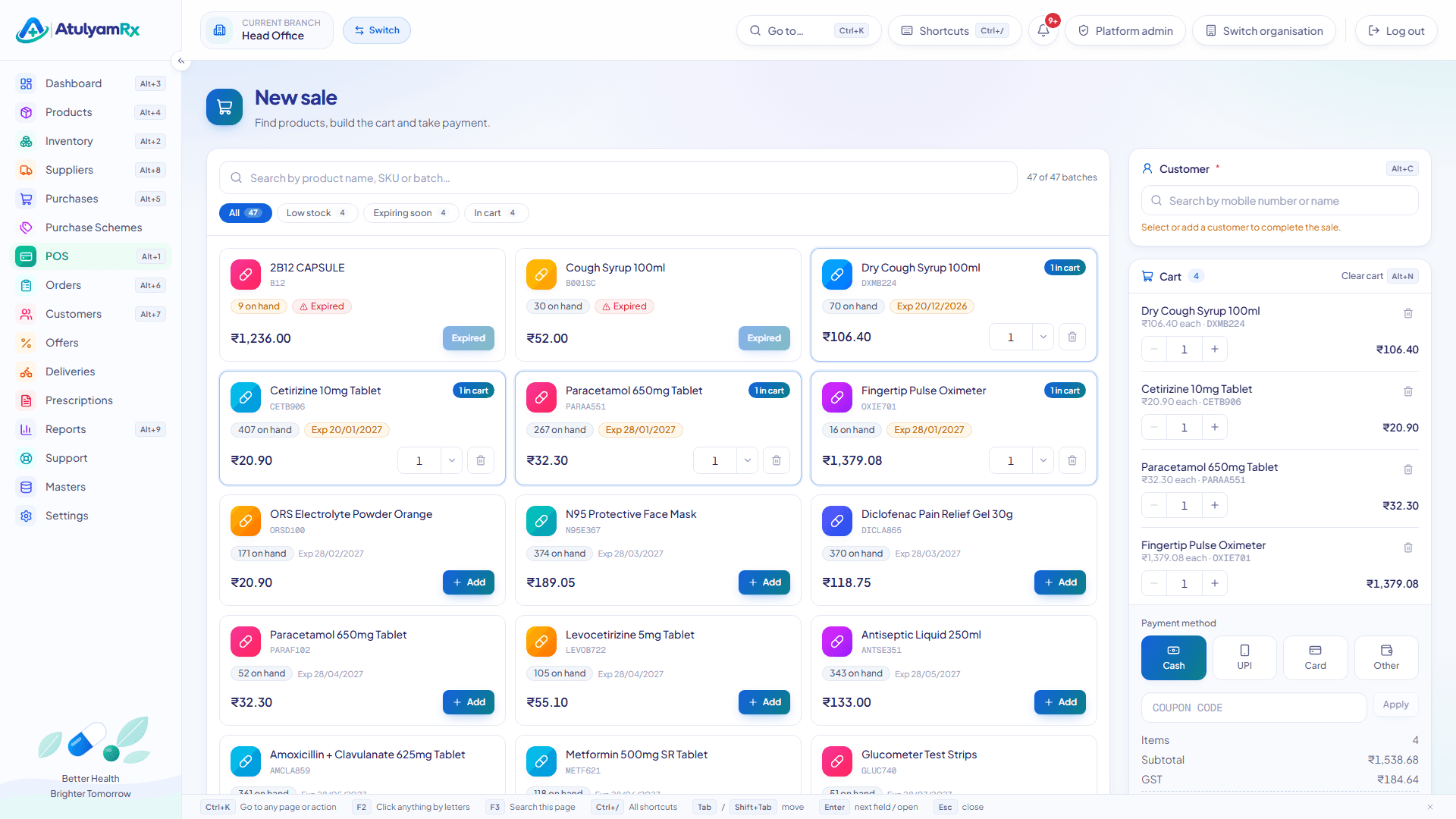
A fast counter screen built for keyboards: search, pick the batch, take payment, print.
Counter and online orders in one list, each with a GST tax invoice ready to print or save as PDF.
Keep suppliers, companies, divisions and transporters with their contacts, GSTIN and credit terms.
Customer profiles with phone, address and type, plus the doctors who prescribe to them.
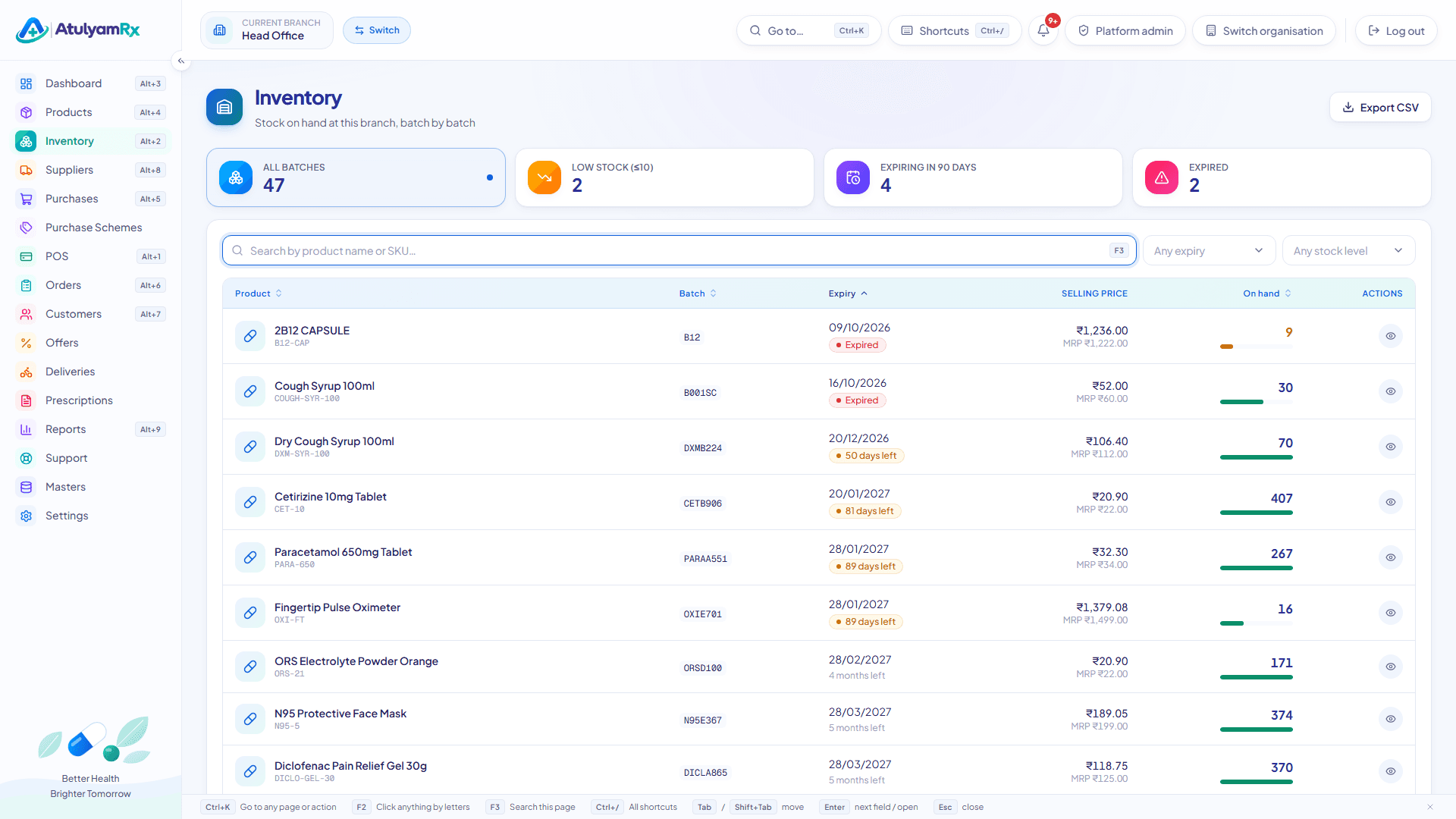
Every unit of stock belongs to a batch with its own expiry date, MRP and selling price.
Store the barcode on each product and find it instantly from the catalogue search.
Return damaged or near-expiry goods to suppliers and cancel sales with full stock reversal.
Online customers upload prescriptions; your pharmacist verifies them before Rx items ship.
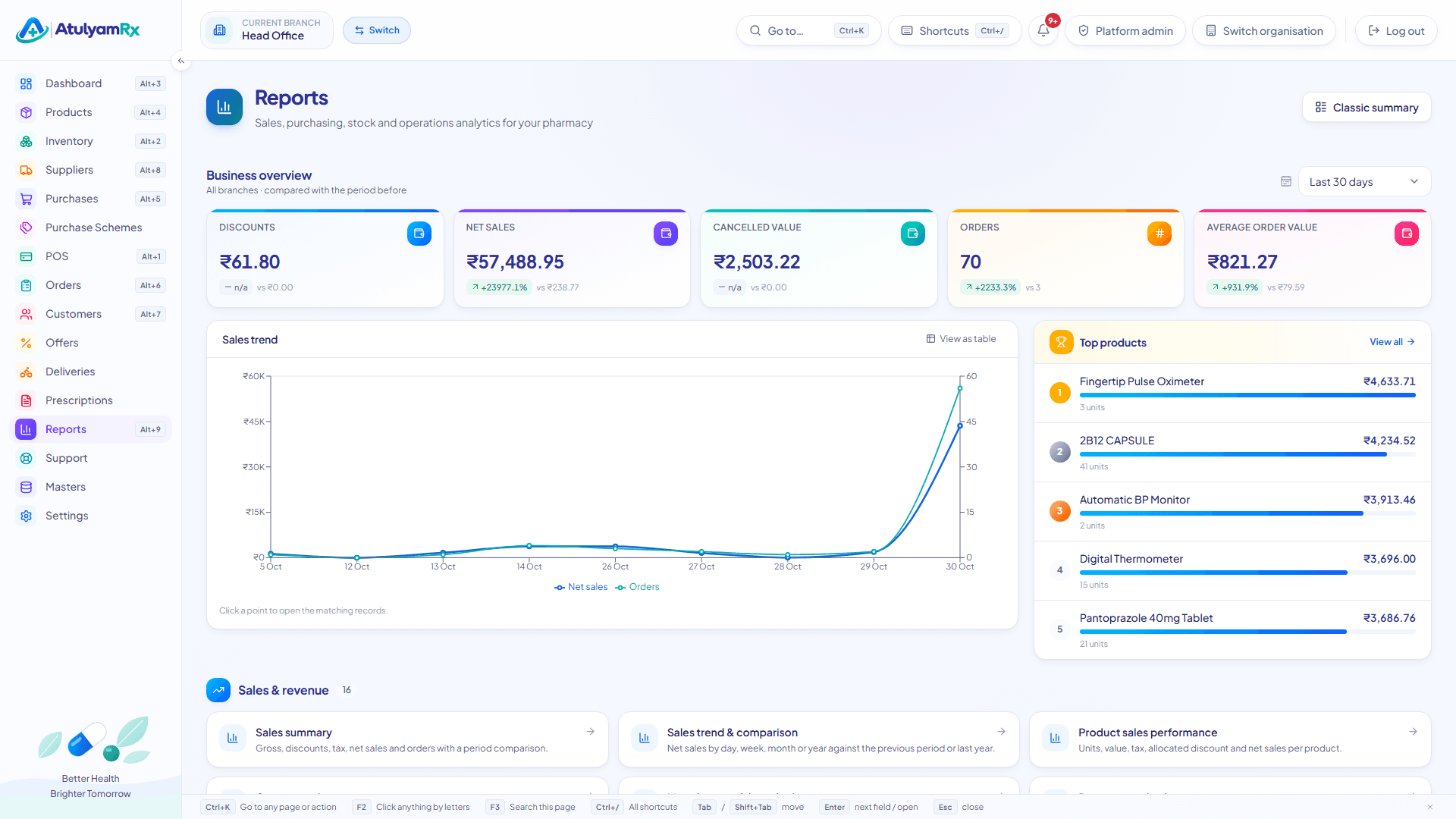
Over 50 built-in reports for sales, GST, purchasing, stock, expiry, customers and staff.
Invite staff, give them roles and decide exactly which actions each role can take.
Run all your branches from one account, each with its own stock, staff and invoice series.
Make the system yours: branding, invoice template, notifications, approval rules and more.
A fast counter screen built for keyboards: search, pick the batch, take payment, print.
Every unit of stock belongs to a batch with its own expiry date, MRP and selling price.
Over 50 built-in reports for sales, GST, purchasing, stock, expiry, customers and staff.
Percentage, flat and buy-X-get-Y offers with coupon codes and an optional approval step.
A storefront on your own domain with your logo, catalogue, cart and checkout.
Assign delivered orders to your own delivery staff and track them to proof of delivery.
Bring in products, customers and suppliers from CSV; export data with a dedicated permission.
Raise and follow support tickets with the AtulyamRx team from inside the admin panel.
Platform preview
These are actual screens from the AtulyamRx admin panel, captured with demo pharmacy data.
How it works
No installation. AtulyamRx runs in your browser.
Register your pharmacy in a few minutes. Your organisation and head-office branch are set up for you.
Import products, suppliers and customers from CSV or add them one by one.
Add staff, assign roles and add more branches when you need them.
Receive your first purchase into stock and make your first sale at the POS.